
How Does Google Index a Website? A Simple Guide for Developers
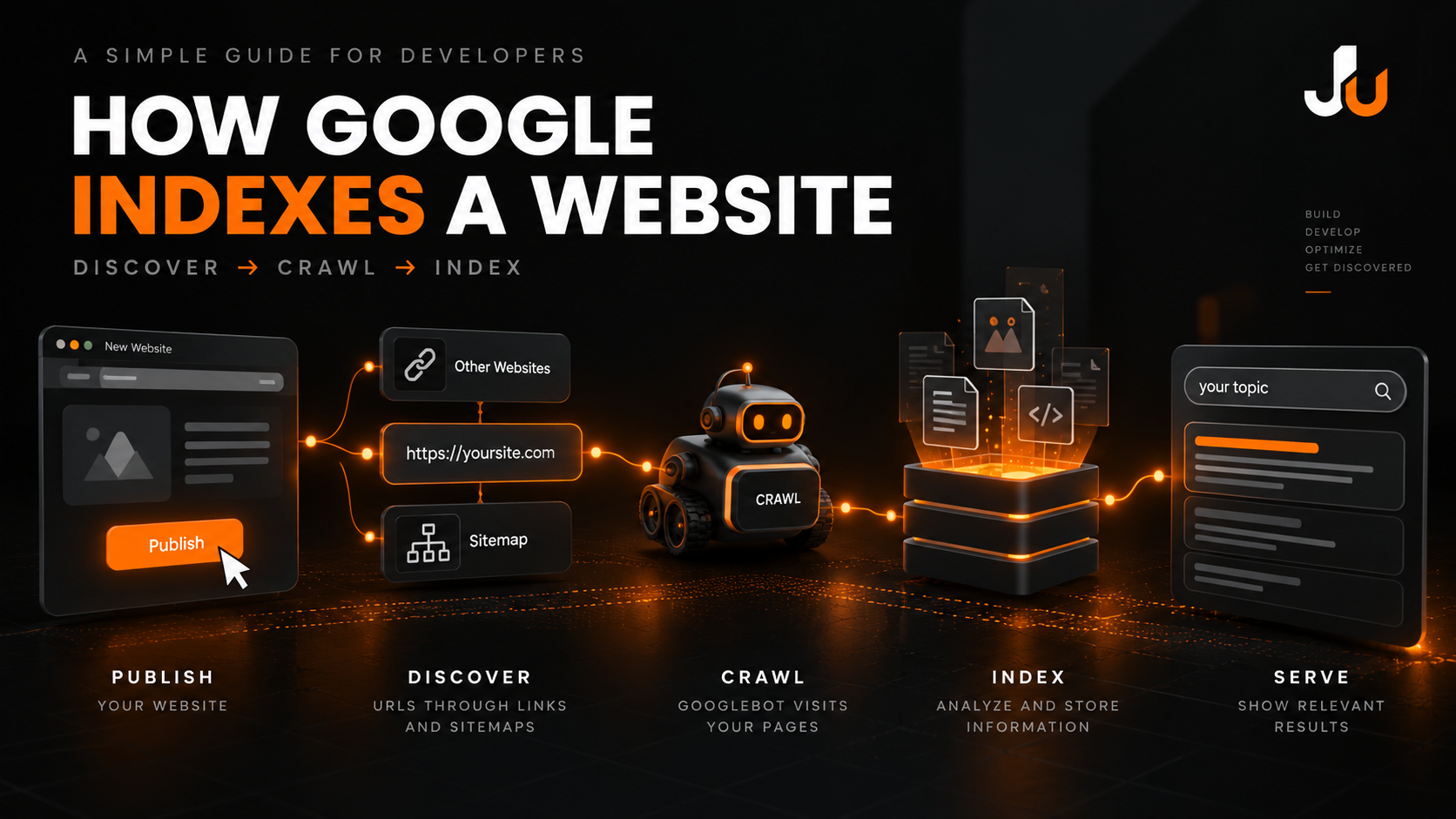
You’ve published a website. Your pages are live. But how does Google actually discover, crawl, and index your website?
This is one of the fundamental concepts every web developer should understand, especially when building websites with React, Next.js, or other modern web technologies.
In this guide, we’ll break down how Google Search works and explain the difference between discovery, crawling, indexing, and ranking.
1. URL Discovery: How Does Google Find Your Website?
The first step is URL discovery.
Google needs to discover your webpage before it can crawl and potentially index it. URLs can be discovered through:
Links from other websites
Internal links within your website
XML sitemaps
Previously discovered URLs
Other publicly available sources
For example, when you publish a new blog post, linking to it from another page on your website helps search engines discover its URL.
An XML sitemap can also help Google identify important pages on your website, although submitting a sitemap does not guarantee crawling or indexing.
2. Crawling: Googlebot Visits Your Page
After discovering a URL, Google may attempt to crawl it using Googlebot, Google's web crawler.
During crawling, Googlebot accesses the webpage and retrieves available resources, such as:
HTML
CSS
JavaScript
Images
Other accessible resources
Your website should be accessible to search engines and return a valid HTTP response. Technical issues, blocked crawling, or inaccessible content can affect how Google processes a page.
For JavaScript-based websites, developers should also ensure that important content can be rendered and understood by search engines.
3. Content Analysis: Google Understands Your Page
After crawling, Google analyzes the content and technical signals of the webpage.
This can include:
Page content
Title tags
Meta descriptions
Images
Internal links
Canonical signals
Structured data
Duplicate or similar content
Google uses these signals to understand what a page is about and whether its content can be considered for indexing.
This is where technical SEO and content quality become important.
A website can be visually attractive and technically functional, but developers should also consider how clearly its content is presented to search engines.
4. Indexing: Your Page May Be Added to Google's Index
If Google determines that a page is eligible, it may add the page to its search index.
The index is a large collection of information about webpages that Google can use when responding to search queries.
However, crawling does not guarantee indexing.
A page may not be indexed for several reasons, including technical issues, duplicate content, quality considerations, or other indexing decisions.
That leads to one of the most important SEO concepts:
Discovered ≠ Indexed ≠ Ranked
These are three different stages, and they should not be treated as the same thing.
5. Serving Search Results: Where Ranking Comes In
When someone searches on Google, the search engine retrieves and displays relevant results from its index.
Ranking is a separate process from discovery and indexing. A page being indexed does not guarantee that it will appear at the top of search results.
Search visibility depends on many factors, including the search query, relevance, content, technical accessibility, and Google's ranking systems.
Therefore, publishing a page and getting it indexed are only parts of the broader SEO process.
A Simple Google Search Workflow
You can remember the general process like this:
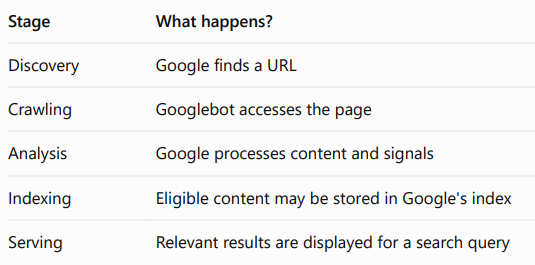
Discover → Crawl → Analyze → Potentially Index → Serve Relevant Results
SEO is not only a marketing responsibility. Developers influence many technical aspects that affect how search engines access and understand websites.
Important areas include:
Crawlability: Can search engines access your pages?
Indexability: Are your pages eligible to be indexed?
Website architecture: Can users and crawlers navigate your site?
Internal linking: Are important pages connected?
JavaScript SEO: Can essential content be rendered and understood?
Metadata: Are page titles and other signals properly implemented?
Performance: Does the website provide a usable experience?
Understanding these concepts helps developers build websites that are both functional and search-engine friendly.
Final Takeaway
Google does not simply publish your website in search results immediately after you deploy it.
The general process involves discovering URLs, crawling pages, analyzing content, potentially indexing eligible pages, and serving relevant search results.
Remember:
Discovered ≠ Indexed ≠ Ranked
If you're a developer learning technical SEO, understanding this workflow is a useful starting point for building more discoverable websites.
Watch the Visual Explanation
I created a short educational video that explains how Google discovers, crawls, analyzes, and indexes websites.
Watch the video on LinkedIn:
How Does Google Index a Website? — LinkedIn
You can also explore more of my web development, SEO, and AI-related work on my personal website:
Visit my portfolio — jaiminumaraniya.me
#TechnicalSEO #GoogleIndexing #WebDevelopment #SEO


